



The Quantum Computing Applications for Large Scale Impact: CR&D competition is funding collaborative UK projects that develop and implement high-impact quantum computing software applications. Projects need to tackle real-world industrial, economic, public-sector or societal problems and demonstrate where quantum computing could offer practical advantages over classical approaches.
Here’s what you can expect:
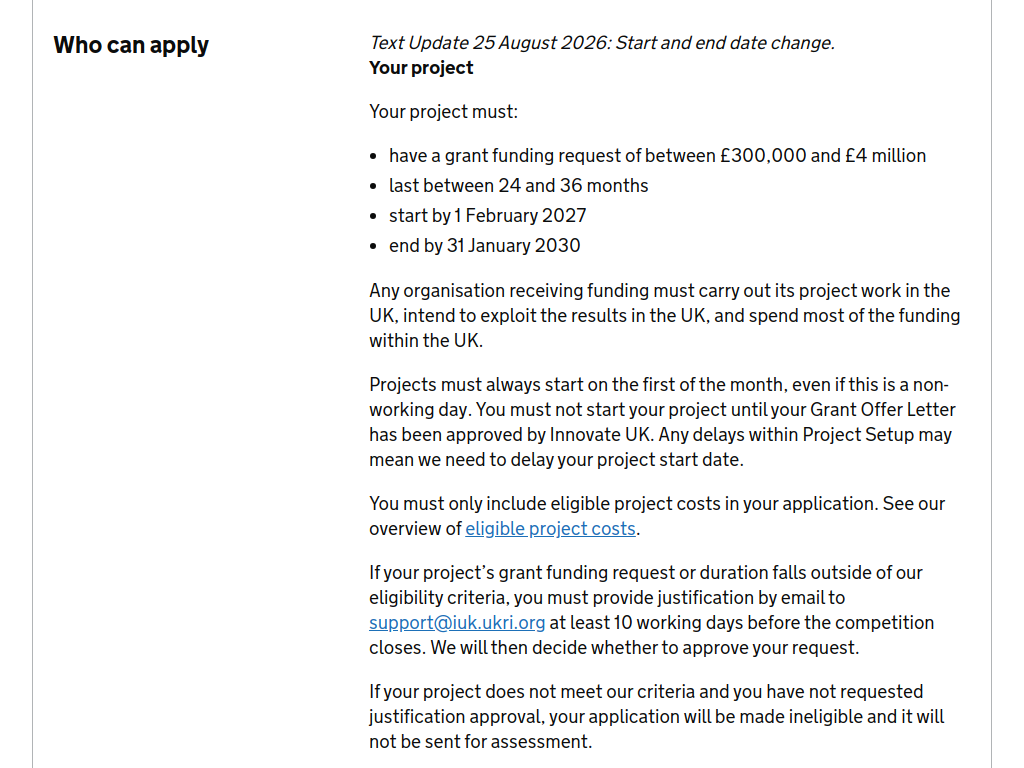
£300,000–£4 million grant request per project
Up to £13 million available overall
Up to 70% of eligible costs for micro and small businesses
Up to 60% for medium-sized businesses
Up to 50% for large businesses
Funding for industrial research and collaborative R&D
Development and implementation of quantum computing software
Testing, benchmarking and validation on near-term quantum systems
Projects tackling commercially and socially significant real-world challenges
Strong emphasis on demonstrating a route to adoption, exploitation and scaling in the UK.
Projects must focus on one or more of these areas:
Healthcare and drug discovery
Finance
Transport and infrastructure optimisation
Design and simulation of new materials
Quantum machine learning.
Who can apply?
A UK-registered business of any size must lead
The project must be collaborative, with at least one other organisation applying for funding
Collaborators can include UK businesses
Universities and academic institutions
Charities and nonprofits
Public-sector organisations
Research and Technology Organisations (RTOs)
No single grant-claiming organisation can account for more than 70% of eligible project costs
No individual organisation can request more than £1 million per project
The majority of project activity must take place in the UK, with results intended to be exploited in the UK.
Deadline: 24 September 2026 at 11:00am UK time.
Recommended Comments
Join the conversation
You can post now and register later. If you have an account, sign in now to post with your account.
Note: Your post will require moderator approval before it will be visible.