_db33a8.png)


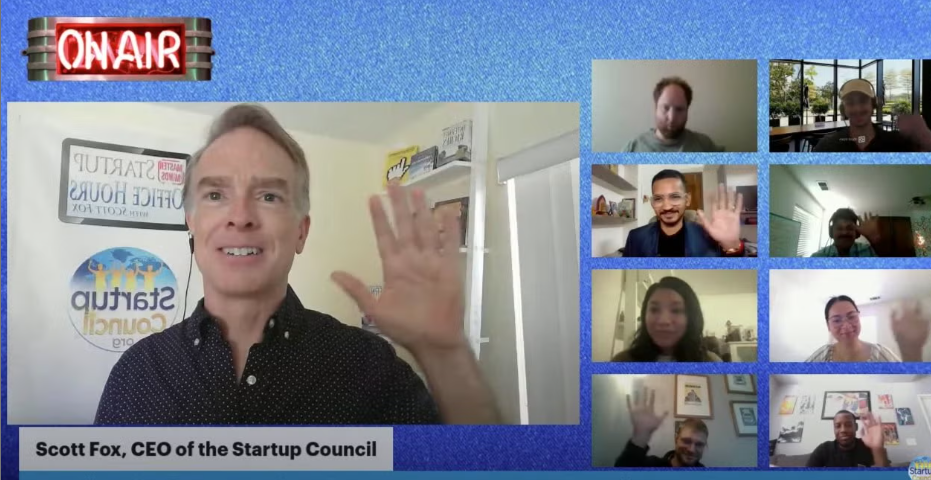
Free Startup Fundraising Office Hours Expert AMA with Angel Investor Scott Fox!

Event created by Nicolas Chea
Details
Startup Founders: Bring your startup questions and challenges to the Startup Council’s FREE founder support “Office Hours”. Get FREE expert Silicon Valley advice to help you start and grow your venture.
Want to find angel investors? Practice your investor pitch? Have questions about raising venture capital? How to find product/market fit? Pitch decks? Building your team? Protecting your intellectual property? Starting a company as a first-time, female, or minority founder? We're here to help!
A free, fun, friendly livestream show for startup founders and friends worldwide, our mission is to increase access to innovation and investment for all. Join Startup Council CEO, Scott Fox, for valuable startup strategy advice, fundraising expertise, and networking, too.
FREE TICKETS LINK:
https://startup-office-hours.eventbrite.com
** NEW TIME for Founders in India, Asia, MENA, and Australia! **
WHEN: The 4th Tuesday of every month at 900pm US Pacific Time (aka 12 midnight US ET).
That's WEDNESDAY at 400am UTC / 800am GST / 930am IST / 200pm AEST for our friends in Asia, Australia, MENA, and India.
AT SHOW TIME YOU CAN WATCH & CHAT LIVE AT ANY OF THESE CHANNELS:
https://www.linkedin.com/company/startupcouncil
https://www.youtube.com/scottfox (with Live Chat!)
https://www.facebook.com/clickmillionaire
Podcast: http://scottfoxradio.com/
HAVE A STARTUP QUESTION to ask Scott ON CAMERA? Or want to practice your Investor Pitch?
Submit your Startup Question or Pitch summary here BEFORE the show to get the ON CAMERA participation link: https://startupcouncil.org/sohsrsvp
You'll get helpful, free expert feedback LIVE if you RSVP in advance!
Your Host & Moderator: Scott Fox, CEO of the Startup Council, Chairman of Stanford Angels & Entrepreneurs SoCal (Orange County), ecosystem builder & speaker, investor in 30+ startup companies, serial startup founder, best-selling entrepreneurship author of Click Millionaires, Internet Riches, more…
SPONSORS
StartupInvestorsDirectory.com: Visit https://www.startupinvestorsdirectory.com/ for 3000+ exclusive and detailed angel and VC firms listings. Use the easy search tools to find the RIGHT investors for your startup. (Special Launch Offer Code: SIDLAUNCH )
StartupCouncil.org is a community service group helping founders worldwide to accelerate the success of their early stage startups! Our mission is to help entrepreneurs and investors globally by increasing access to relationships, expertise, and innovation capital, especially for first-time, minority, and under-represented founders. SUBSCRIBE to the free Startup Council email lists HERE: https://www.startupcouncil.org/startup-news
SUBSCRIBE ON YOUTUBE FOR FREE VIDEO REPLAYS
Want great FREE Startup Advice NOW? Click to SUBSCRIBE & see previous shows now at https://www.youtube.com/scottfox
- - - - - - - - - - - - - - - - - - - - - - - - - - - - - - - -
By attending/watching all participants recognize that advice given is PUBLIC, is for entertainment/informational use only, agree to release, indemnify, hold harmless, defend, and pay defense costs for all organizers from any and all liability or claims, and consent to use and public sharing in any media of any information, photos, or videos taken.
User Feedback


Important Information
Terms of Use Guidelines We have placed cookies on your device to help make this website better. You can adjust your cookie settings, otherwise we'll assume you're okay to continue.