Skip to content

Startup Run - bi-weekly 5k run & networking drinks

(0 reviews)

About this event

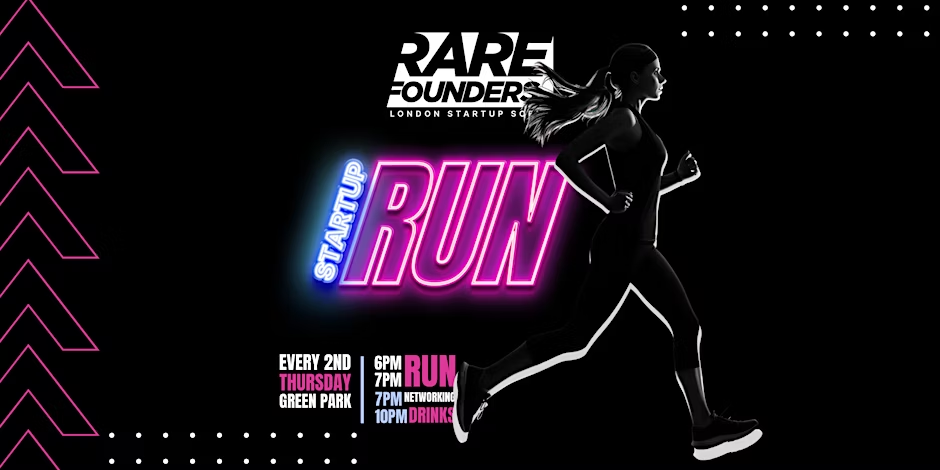
NETWORK AND RUN EVERY 2nd THURSDAY, SAME TIME, SAME PLACE

Join our Bi-Weekly Startup Run every 2nd Thursday at Green Park for a refreshing 5k run. It's a perfect way to network with founders, investors, and the broader startup community, while keeping fit. Post-run, we gather at a local pub to unwind and continue networking over drinks.

  • 5k run through the scenic Green Park.

  • Open to all levels of fitness.

  • Post-run socializing at a nearby pub.

Networking Opportunities

Unique chance to network with peers in a relaxed, healthy setting.

Target Audience

Founders, investors, and anyone in the startup ecosystem looking for networking with a twist.

Meeting point:

Take the Green Park Tube entrance to Green Park itself. We will meet by the fountain (Constance Fund Fountain of Diana, SW1A 1RD).

Valuables and changing:

Please try not to bring any valuables with you. There are many facilities around the tube station where you can change. The best option is Joe and the Juice, 8 Berkeley St, London W1J 8DN.

We will have someone guarding all the bags by the meeting point so you will be able to leave your backpack there if needed.

Register: https://www.eventbrite.co.uk/e/startup-run-bi-weekly-5k-run-networking-drinks-tickets-792590719177?aff=ebdssbdestsearch&_gl=1*i6bafq*_up*MQ..*_ga*MTc4MjY1NTgxLjE3NTAwODYyMTM.*_ga_TQVES5V6SH*czE3NTAwODYyMTIkbzEkZzAkdDE3NTAwODYyMTIkajYwJGwwJGgw

User Feedback

Join the conversation

You can post now and register later. If you have an account, sign in now to post with your account.

Guest
  • This will not be shown to other users.

  • Your Review Required
    Add a review...

Important Information

Terms of Use Guidelines We have placed cookies on your device to help make this website better. You can adjust your cookie settings, otherwise we'll assume you're okay to continue.

Account

Navigation

Search

Search

Configure browser push notifications

Chrome (Android)
  1. Tap the lock icon next to the address bar.
  2. Tap Permissions โ†’ Notifications.
  3. Adjust your preference.
Chrome (Desktop)
  1. Click the padlock icon in the address bar.
  2. Select Site settings.
  3. Find Notifications and adjust your preference.